Changelog

Follow new updates and improvements to Profound.

Automate content operations with Workflows
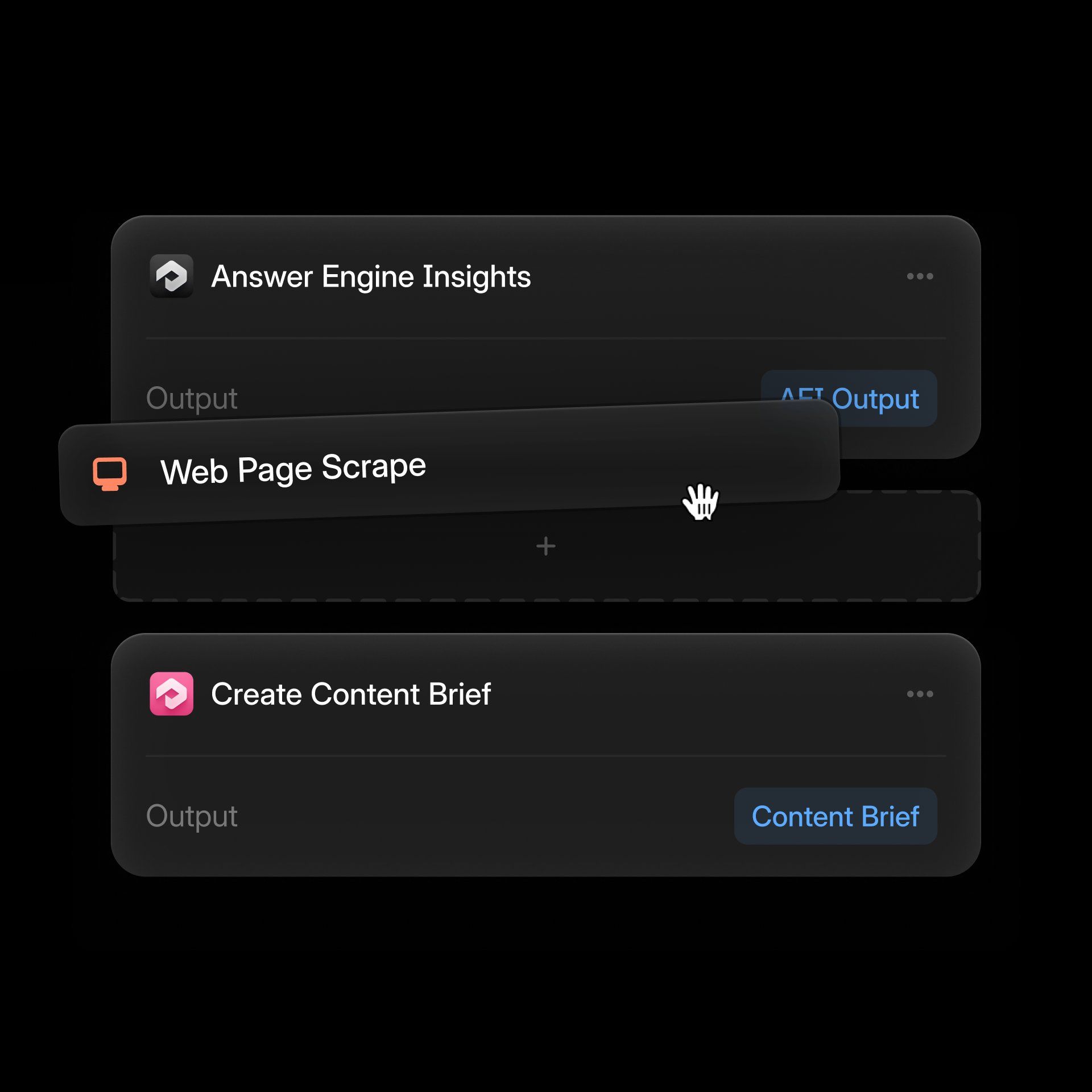
We’re excited to announce the public beta of Profound Workflows, a new way for marketing teams to automate content operations that help them win in the rapidly changing landscape of AI search.

The Workflows beta is only available for customers on Profound Enterprise plans

Workflows lets teams codify their best practices into automated checks, analyses, insights, and actions. With a few clicks, marketers can build repeatable processes that:

  • Audit content for AEO, SEO, UX, and brand alignment

  • Refresh content to better perform in AI search

  • Generate research-backed content briefs and outlines

  • Analyze competitive insights

  • Produce ongoing reports on content health, performance, or gaps

  • Trigger recommendations for writers, editors, and SMEs
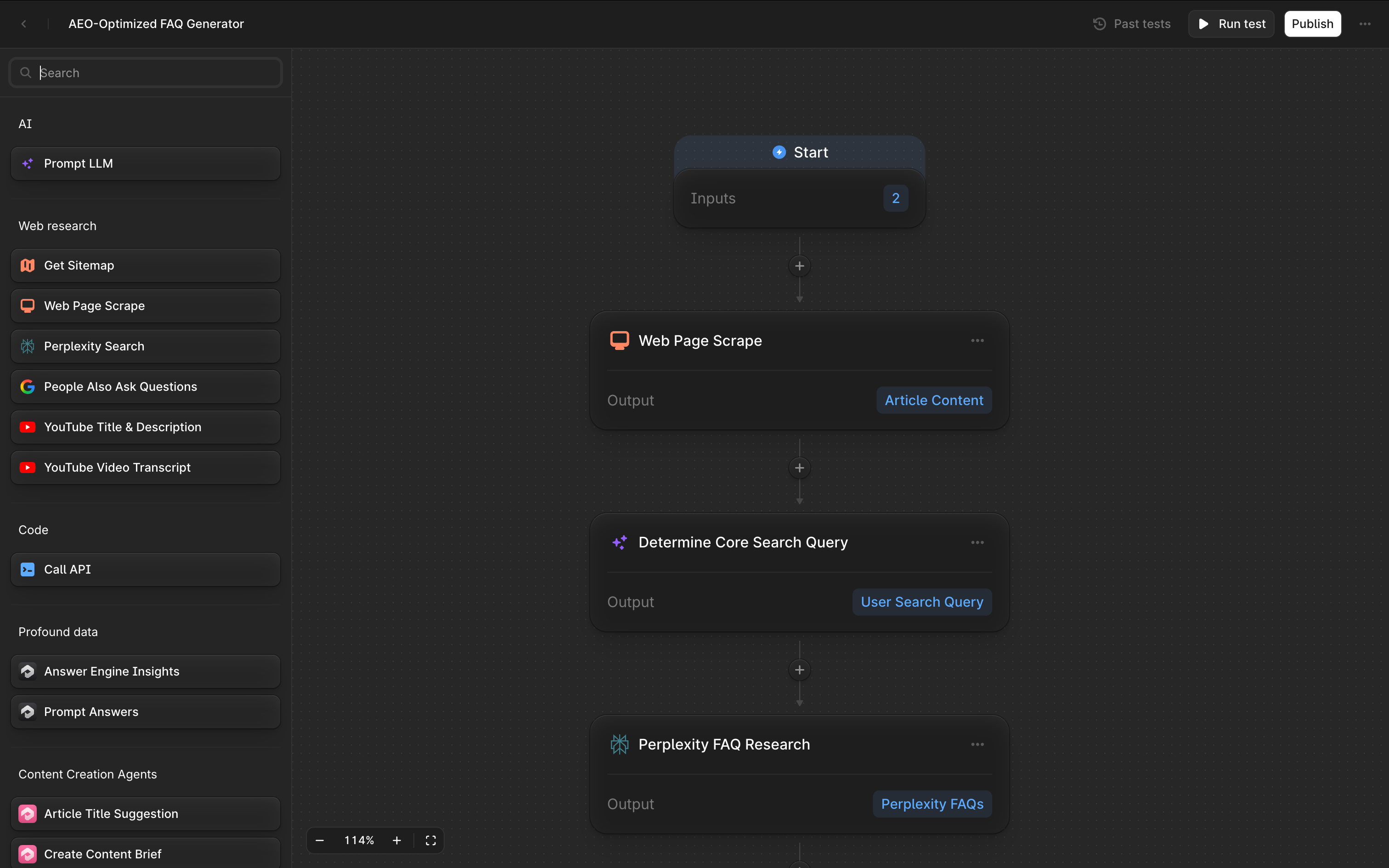
Enterprise customers will be receiving additional communications via their engagement manager. In the meantime we have some resources to help get started.

Workflows is evolving rapidly. By the end of the year, you’ll be able to schedule workflows to run automatically, integrate with your existing tools, and leverage dozens of pre-built templates.
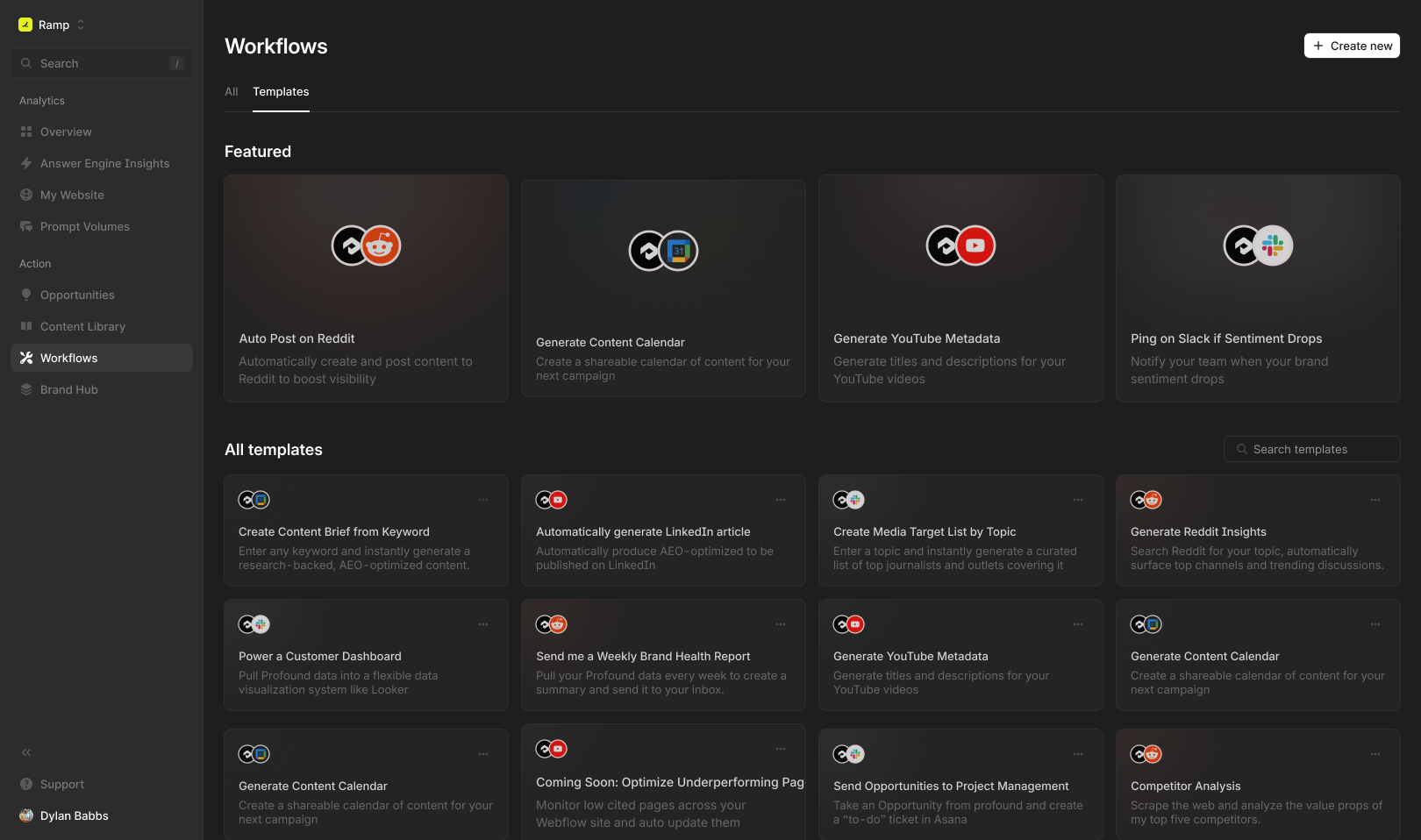
Our goal is simple: make content operations radically more efficient, more intelligent, and more adaptive to the new world of search.

Enterprise customers can get started by visiting Workflows in their Profound dashboard.

Self-serve user who are interested in upgrading to access Workflows should contact our sales team for a demo.
New query fanouts tab in Profound

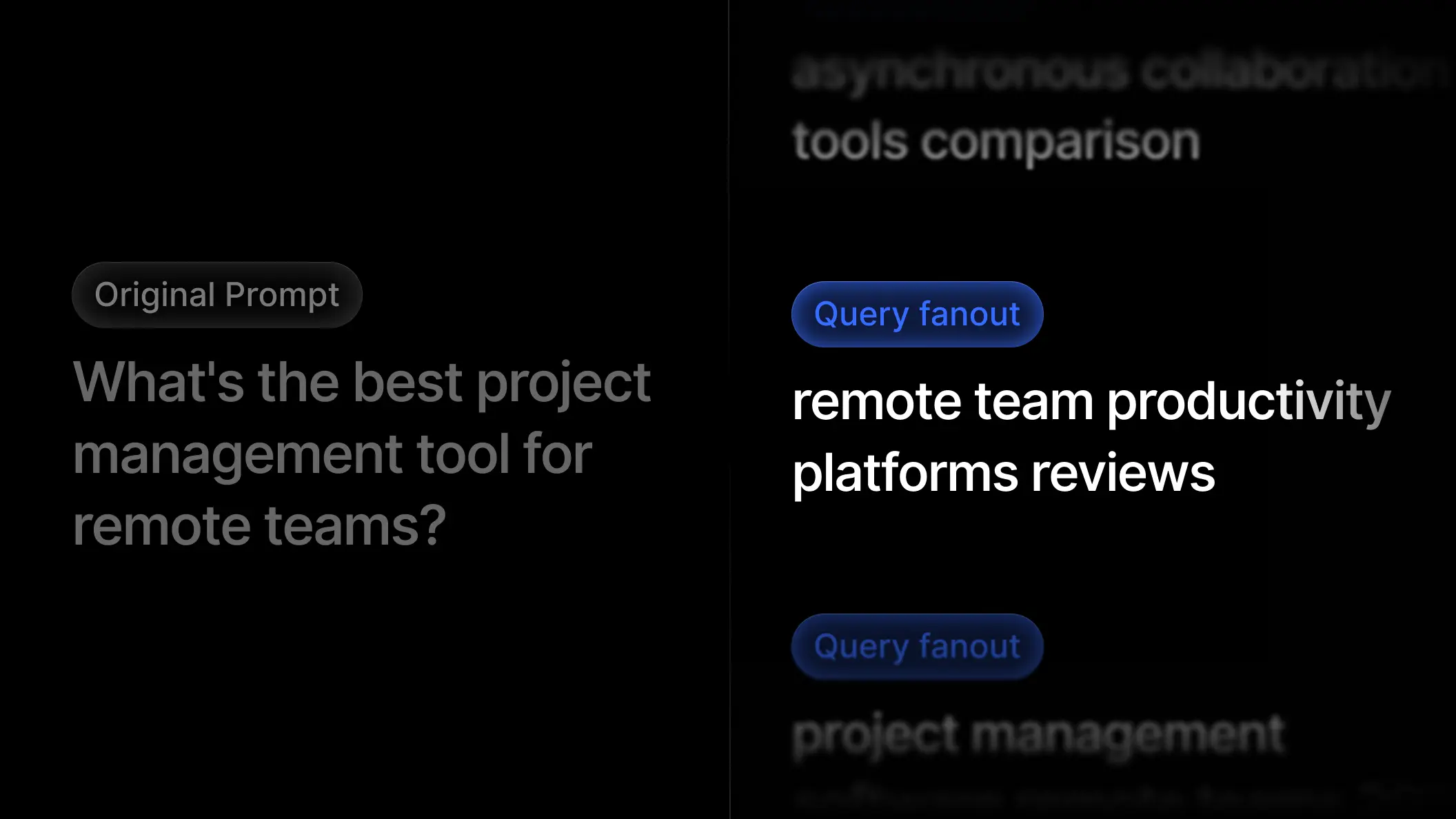
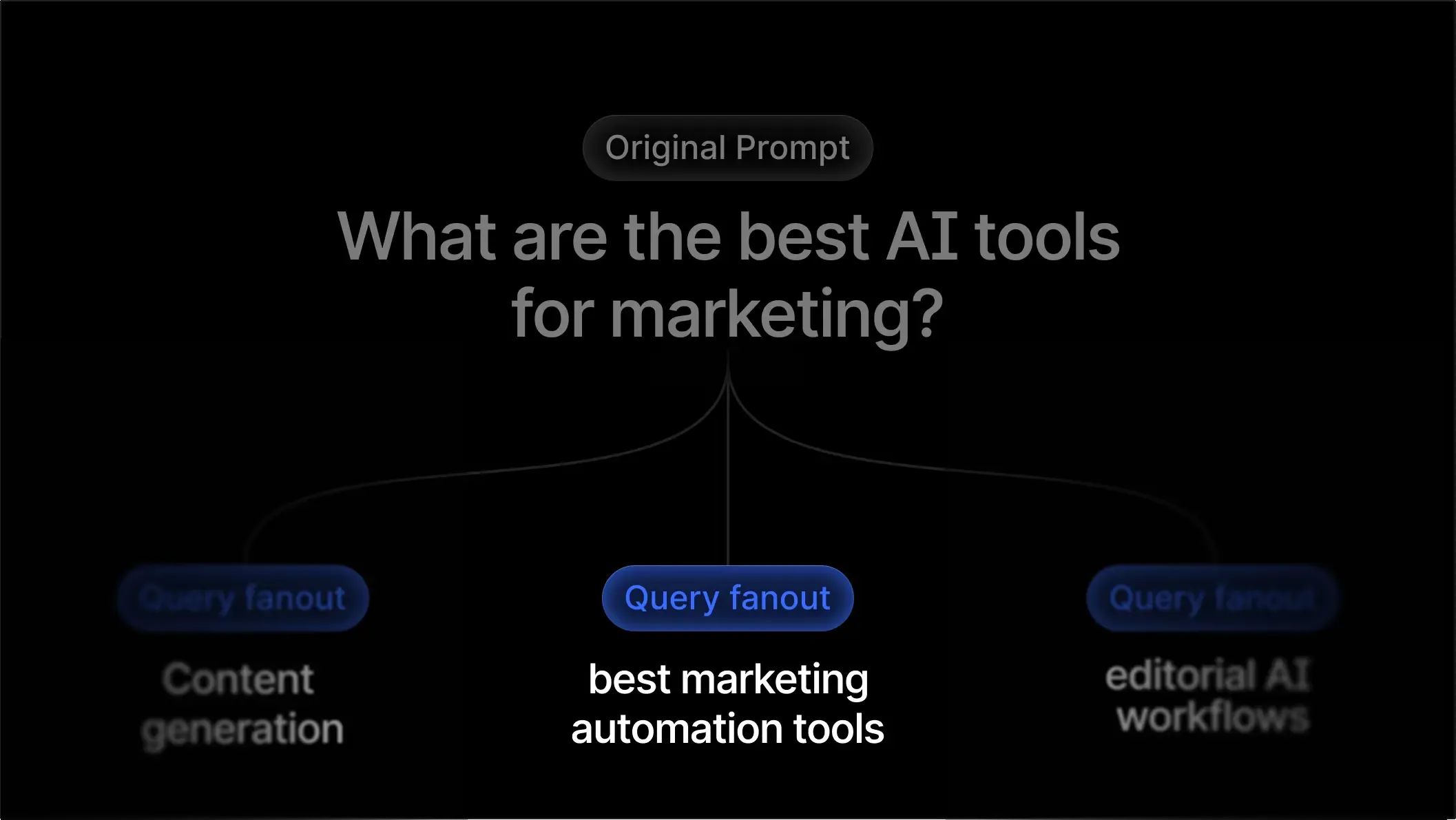
When someone asks ChatGPT, Claude, or Gemini a question, the model rarely “knows” the answer. Before these Answer Engines respond, they fan out the user’s prompt into multiple high-intent search queries, retrieve information from the web, and then synthesize everything into a final answer.

For example, if a user asks:

“Which business bank account is best for startups?”

The model might break this into queries like:

  • “best business checking accounts for startups 2025”

  • “online business banking comparison fees”

  • “startup bank account requirements”

This hidden step, the Query Fanout, determines which brands get pulled into AI answers, and which get left out.

Today, we’re making that process fully transparent.

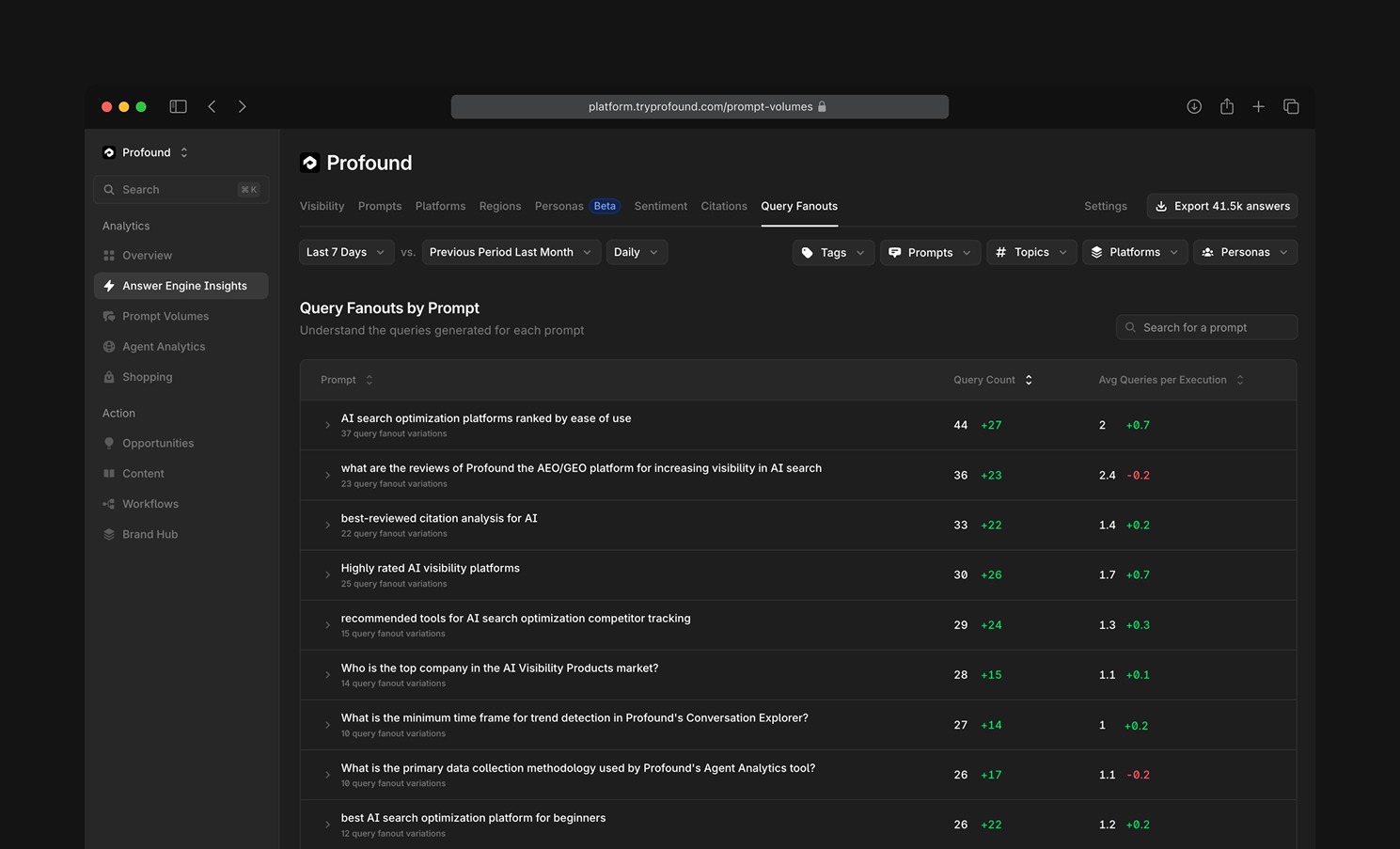
You can now explore all query fanouts for the prompts you track in Profound through the new Query Fanouts page, designed to help AEO teams understand how Answer Engines interpret prompts and uncover the exact queries they use to research your category.

Read more on how to use the tab and interpret the data here.

Why this matters

In 2025, creating content without considering query fanouts is like doing SEO without knowing your keywords.

Answer Engines don’t simply evaluate a user’s question – they transform it into a set of richer, more targeted search queries. That’s what they actually use to decide which sources to cite.

If your content doesn’t rank for what the model searches, you won’t appear in what the user sees. We’ve written previously about how this works in practice in our breakdown of ChatGPT’s query fanout behavior.

At Profound, we analyze this behavior at scale, running millions of prompts through Answer Engines every day and capturing both the answers and the underlying fanouts. This gives AEO teams a first-of-its-kind window into:

  • How AI interprets user intent

  • What queries drive citations

  • Which modifiers matter most

  • Where content gaps and opportunities exist

With Query Fanouts, you can stop guessing how Answer Engines reason about your prompts and start optimizing for how they actually search. Get started by visiting Answer Engine Insights in your Profound dashboard.

Profound adds query fanouts and enhanced citation analysis

Answer Engine Insights

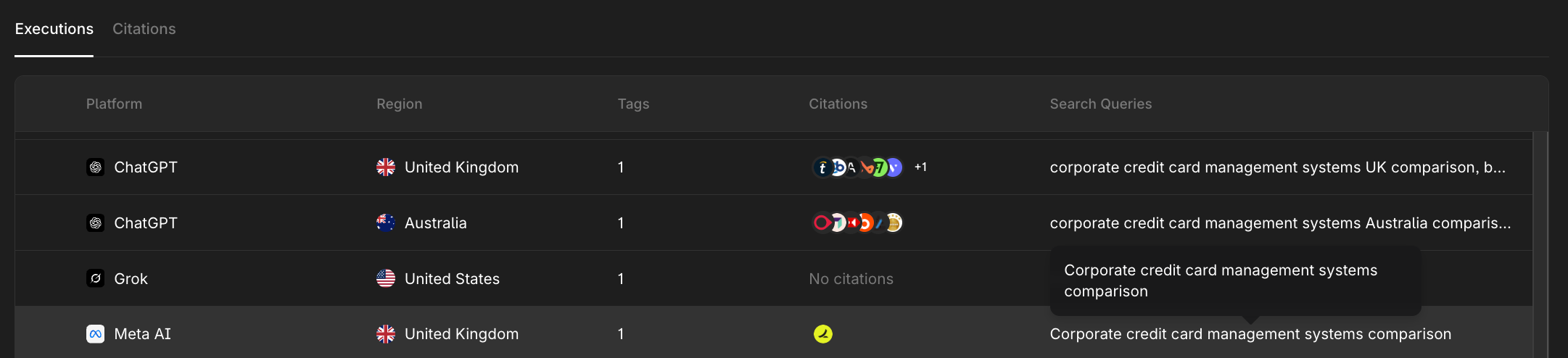
  • Query fanout visibility: We are now capturing and visualizing the search query fanout for specific ChatGPT, Meta AI, and Claude queries.

    This allows you to understand the true queries that are generated when a web search occurs. This is helpful for having a more deliberate content strategy for your top prompts. Learn more about query fanouts in our blog post.

  • On-demand citation analysis: You can now trigger on-demand citation analysis for any page to confirm if your content or asset is mentioned - useful for verifying new placements or recently updated articles.

  • Citation page performance improvements: We refactored the citations page and improved latency and overall performance.


Prompt Volumes

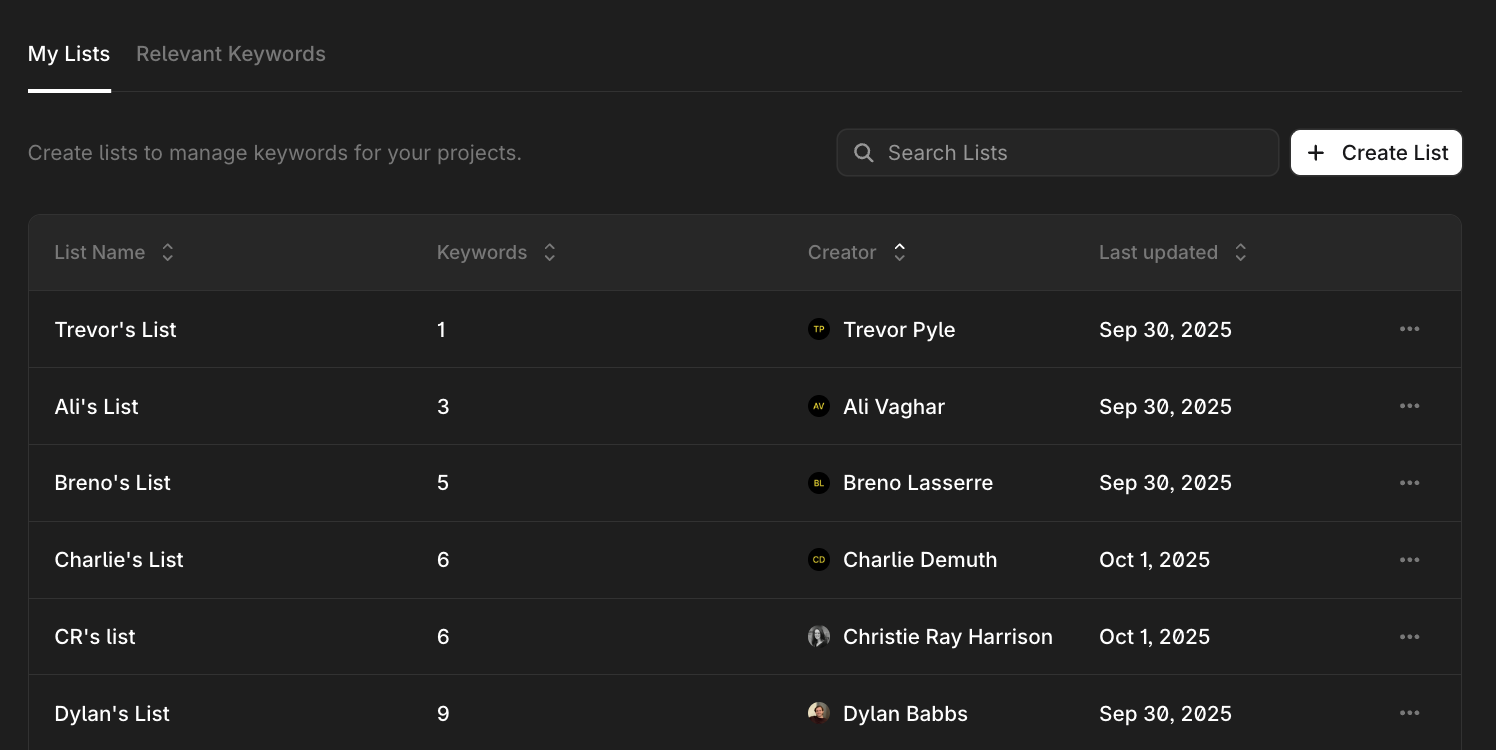
  • Create multiple watchlists: Create and manage separate watchlists by product, campaign, or region. Teams can also view others’ watchlists within the org to stay aligned on shared monitoring efforts.


Workflows

  • Content creation improvements: Easily toggle between briefs and final drafts, while upgraded generation quality reduces hallucinations, strengthens internal linking, and enhances the deep research workflow.

Earlier updates