Changelog

Follow new updates and improvements to Profound.

August 28th, 2026

See the performance of every page on your site in one view
Pages now auto-discovers your entire site through sitemap crawling and shows every page alongside its AI citation status and bot crawl activity. See the exact pages that aren’t being cited and earning AI visibility, so you know where to focus next.

Compare demand across ChatGPT, Gemini, and Perplexity in more markets
Prompt Volumes now spans 35 countries, featuring updated data across 27 existing markets, plus 8 new countries including Argentina, India, Morocco, Pakistan, Peru, South Africa, Vietnam, and the Philippines. Wherever your customers are located, you can understand what they're asking and compare across all three Answer Engines.

Bring Shopping performance into your Agent workflows
Four new nodes (Top Visible Products, Brand Performance, Merchant Performance, and Product Details) pull Shopping data straight into your Agents. You can now turn insights on which products and merchants are winning in AI into automated reporting and content workflows.

Run GA4 reports with your Profound Agents
A new GA4 node pulls sessions, users, conversions, and revenue into Agents. Multi-brand orgs can also map one GA4 property across multiple domains and get clean, brand-separated reporting with no extra setup.

Get a clearer picture of how your team is adopting Profound
Command Center now shows the exact features that your team has adopted in Profound and recommends what to explore next. Explore this within the Settings page.

Log in to Profound to explore these product updates and please share your feedback on how we can improve. 
August 21st, 2026

Have Aim build and run Agents for you
Call any Agent while chatting with your AI Marketer by using the @ mention, and Aim will run the Agent for you. Outputs land automatically in the conversation as linked Docs or Sheets, and you can pause any run for a quick review before it finishes.

Segment your site data based on how your team works
Domain Segments let you group and split website data by sub-brand, product line, or region, and combine multiple domains into one view. Give each team visibility into only their slice, or roll everything up into a single brand-wide view across your organizations.

Agents can now access Region data
Agents now pull in data from the Profound Regions you select. Any Region you start tracking shows up automatically in the dropdown.

Keep Profound in sync with your company directory
Profound now supports SCIM Provisioning, syncing your user list directly with your identity provider. Provisioned new hires get access automatically and departing employees lose access the moment they're off-boarded.

Collaborate on Docs with people outside of Profound
Share any Profound Document directly with an external email address, with view, comment, or edit access. Now you can edit a document with a teammate, customer, or partner without leaving Profound.

Other Docs updates include:

  • Use a Profound Doc as context for your AI Marketer

  • Press ⌘⌥G from a Doc to jump straight to a chat with Aim without selecting text first

  • Choose a target folder when creating a Doc from a workflow

  • Link directly to a heading inside a Doc

We love to hear from you. Please share your feedback on how we can improve.  
August 14th, 2026

Know when to refresh a page with Citation Decay

Citation Decay tracks the full lifecycle of every cited URL: first cited date, rise time to peak, peak volume, and half-life, the point where weekly citations drop to half their peak and stay there. Sort your owned pages by half-life and you get a queue of ranked content losing ground. Filter by domain or model to see whether a page is decaying everywhere or just inside one Engine. Compare half-life across page types to find out which formats hold their citations longest. Once you've spotted a page losing citations, hand it to a Profound Agent to draft the update and stage it in your CMS.

Citation Decay is available today for Profound customers, under the Citation view within Answer Engine Insights. If you’d like access, please reach out to your Profound team. Learn more here.

See which YouTube creators Answer Engines are citing

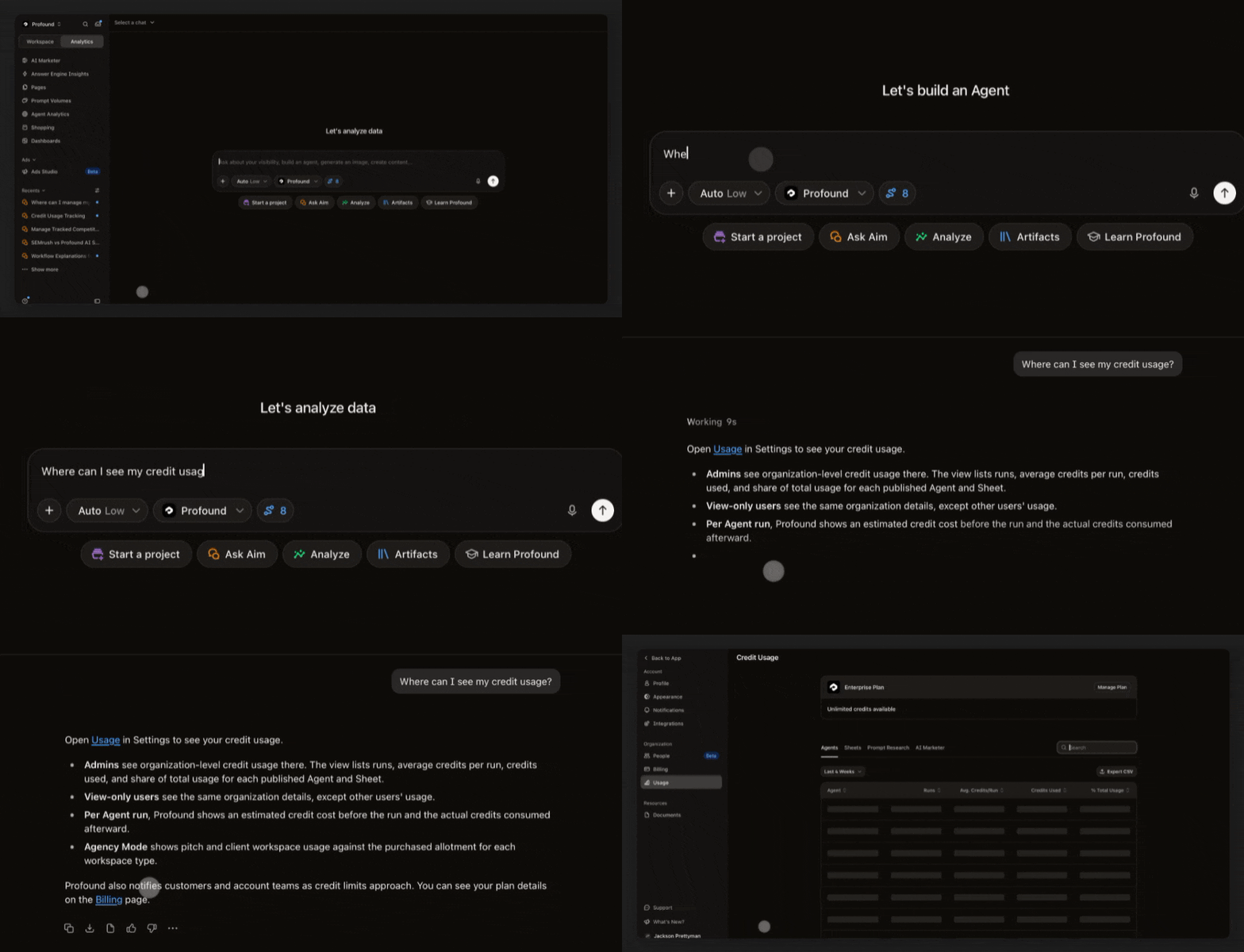
YouTube is the most cited domain in our dataset, and citations used to show up as raw URL. Now you can dig into citation data by channel, video, and video category, so you know exactly which creators are getting cited and can sponsor, pitch, or correct them directly.

Other updates:

  • Have Aim edit your Sheets: Sheets chat is live, so you can ask Aim to read, edit, and analyze any open sheet in plain language.

  • External sharing of Profound Docs: Just open the Share dialog and send an invite to any email address. Once invited, recipients can jump into the document and collaborate live with view, comment, or edit access and the full set of Docs features

  • Lock or auto-update your Agents in Sheets: Pin a sheet to a specific agent version or subscribe to the latest, with a clear before-and-after diff shown any time you switch.

  • Undo and redo everything in Sheets: Every cell, column, and row action can now be undone and redone, even while your team is editing together in real time.

August 7th, 2026

Track every login, role change, Agent use, and more
Activity Logs are now live for all Enterprise customers under Settings. Track logins with location details, membership changes like role updates and invites, as well as org-level events like API keys and SSO connections. You can also see detailed Agent logs including create, publish, run, delete, and duplication activity. Admin users on Enterprise plans get a full audit trail to monitor usage.

Give your IT team the keys to self-serve SSO setup
Enterprise Setup is a new Settings tab for Enterprise customers, and SSO is the first tool giving your IT team a self-serve way to configure SSO. Engagement Managers remain available to help with setup. More enterprise tools like SCIM will be release over the next few weeks.

Ask Aim about bot readability and access on your pages

Aim can now tell you about your Bot View and robots.txt Audit data. This shows which AI crawlers hit a page and whether your robots.txt file is blocking any of them. Ask Aim for a bulk analysis across pages to see which bots are blocked and what content is hidden from them.

Analyze every brand in one dashboard

Custom Dashboards now let each card carry its own category and brand, plus nine new metrics to pull from including FactCheck, citations, and Sentiment. Multi-brand teams can now see their whole portfolio side by side.

Create and edit Profound Docs straight from your AI tools
Docs are now available through the Profound MCP, so you can create, read, search, revise, rename, and share Docs directly from your AI tool of choice. Getting from an idea to a doc ready for your team's review now takes a single prompt, without leaving the conversation. Learn more here.

Ask your AI tools how you're showing up in Shopping results
Shopping data is now available through the Profound MCP, so your AI tools have access to how your products are showing up in AI Shopping results. You now have the same conversational access to Shopping performance that you already have for visibility, citations, and sentiment data. Learn more here.

Let our Agent Builder catch the integration you meant to use
Code nodes and Call API nodes now recognize when a URL matches an existing integration and recommend the native node for it, across every integration. Build Agents faster and skip manual setup for integrations Profound already connects to.

We love to hear from you. Please share your feedback on how we can improve.  
July 31st, 2026

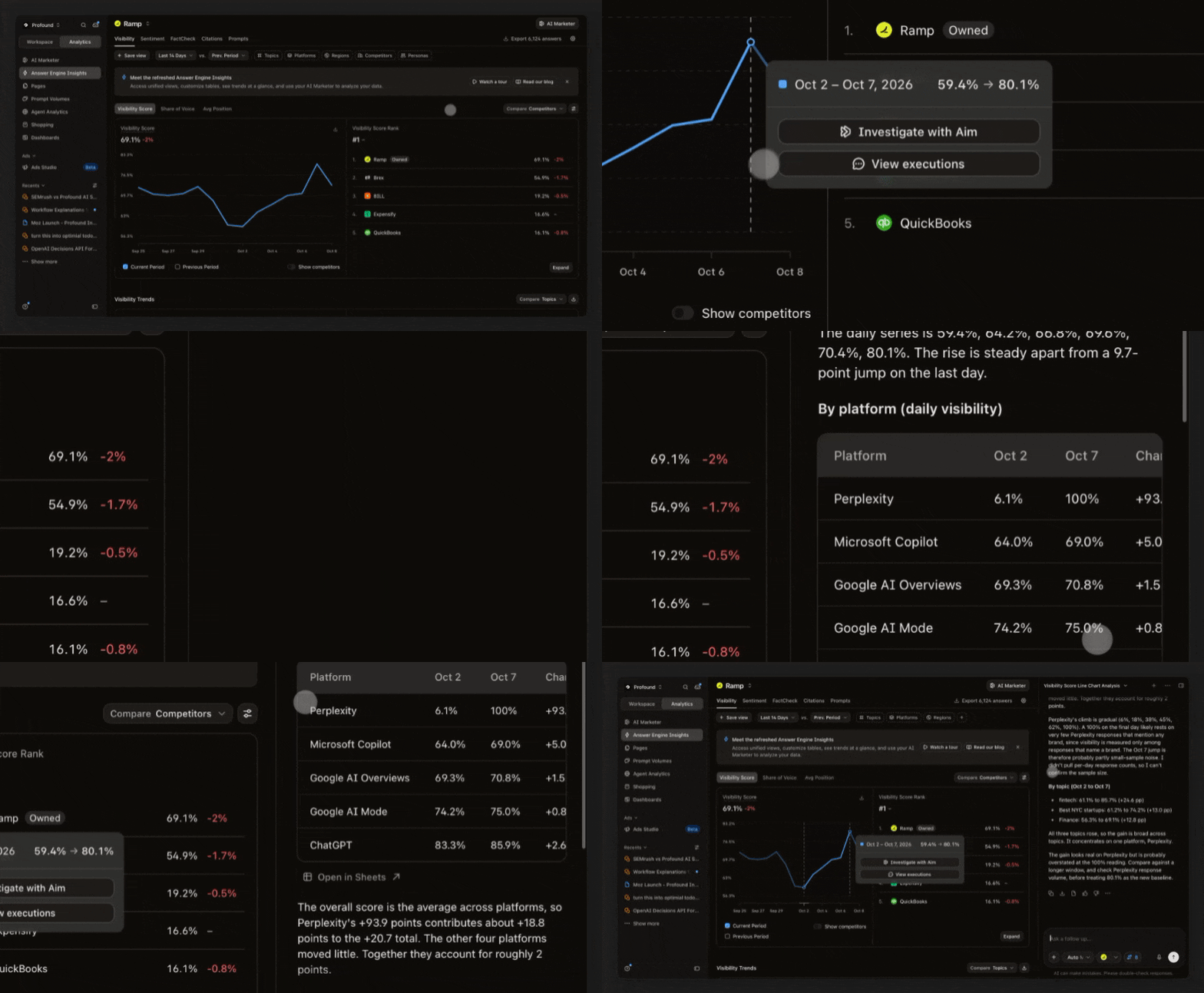
Know where your Agents program stands with Team Performance
The new Team Performance tab shows Agent runs, hours saved, and Projects tracked across your team, benchmarked against companies your size and industry. Next time leadership asks for a status update on Agent usage you have data to backup your AEO work. 

Any admin can find the Team Performance tab in Settings once your org crosses 10 Agent runs.

Review content before it goes live with the Human Review Node

Add a Human Review Node to any Agent or Sheet in Agent Builder, and the Agent pauses mid-run alerting you to review what was produced. You stay in control even while Agents work on your behalf. 

Build and run Agents using connected apps, straight from Claude


The Profound MCP now supports Agents built with third-party nodes including WordPress, Search Console, Google Docs, Gmail, and ChatGPT Ads. Build, run, and see the output of your Profound Agents all from a single conversation with Claude. 

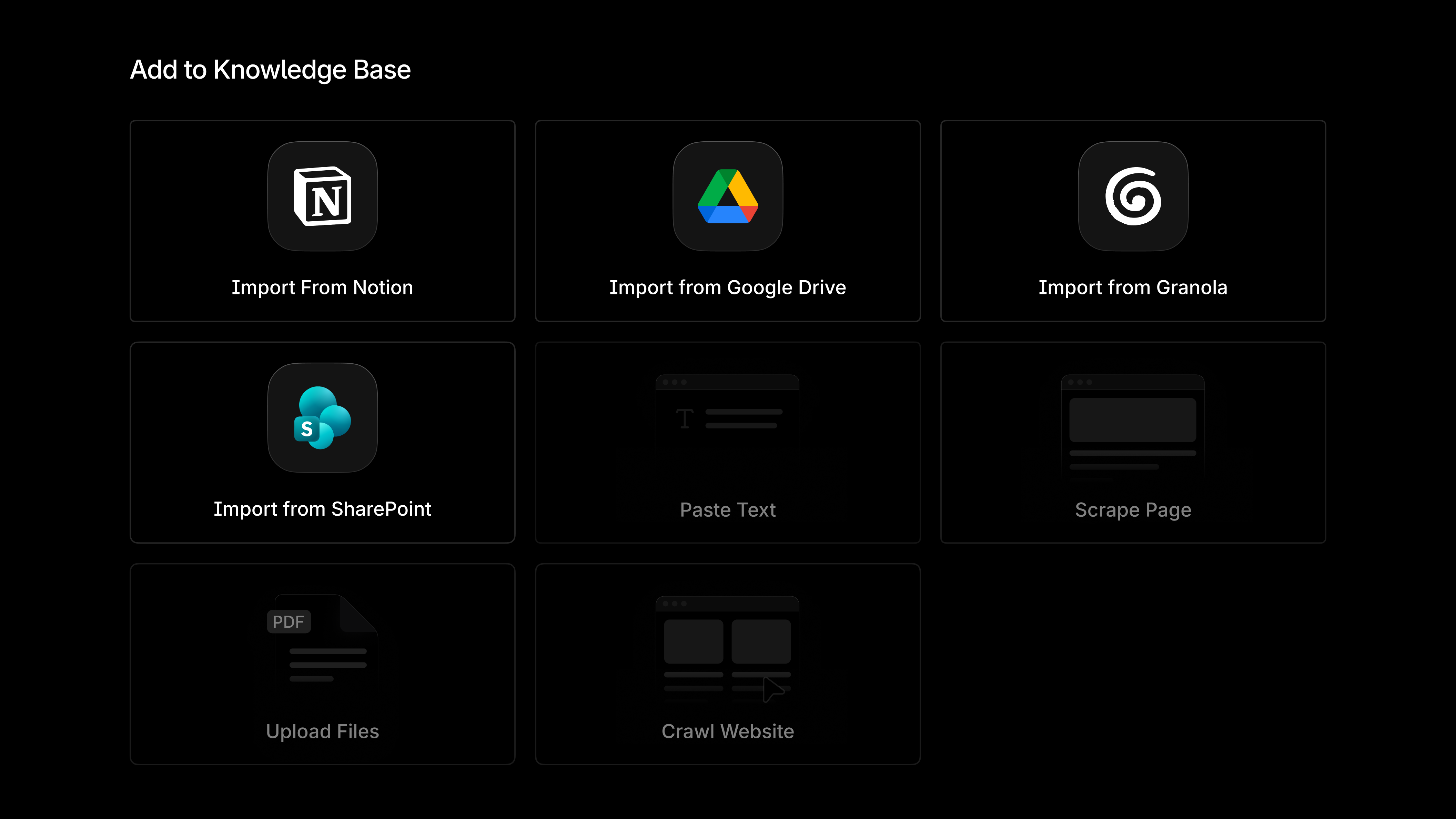
Update your team's Profound Knowledge Base via Claude
You can upload a document or artifact in Claude and send it directly into Profound's Knowledge Base. That knowledge feeds straight into Aim and Profound Agents, with no additional setup required. 

Introducing Ads Studio now in private beta

Generate, launch, and manage ChatGPT Ads powered by Profound’s proprietary datasets. Now available to existing customers at no additional cost. Request access today.

We love to hear from you. Please share your feedback on how we can improve.  
July 24th, 2026

Set up our official Anthropic connector in a few clicks
Profound is now an official Anthropic connector, removing the need for API keys or manual configuration to bring your AEO data into Claude. Alongside this update, we shipped several new capabilities:

  • Update your tracked prompts by asking for actions like "Add these ten prompts to my enterprise CRM category" or "Generate prompt variations around our new pricing page," and Claude updates your Profound instance. 

  • Build and run a Profound Agent from a plain-language description, right inside the conversation, with Claude acting as the orchestrator and the Agent as the specialist handling the task. 

  • List, accept, and work on Projects from the MCP. 

Manage AEM content without leaving Profound

Agents can now find, read, create, and update Content Fragments directly in Adobe Experience Manager. You can work from Profound while updates flow straight into AEM.

Fix inaccurate claims with the Noble Mention Refresh integration
FactCheck flags inaccurate claims made by AI and pinpoints the exact third-party sources driving those inaccuracies. With our Noble integration, you can export those domains directly to Noble via Profound Agents to take action.  

Noble updates the copy to match your brand guidelines, reaches out to the publisher through its network, and corrects the mention on your behalf, handling the outreach, negotiation, and payment. You can track the progress of your mention refreshes in your Noble dashboard, then track accuracy in FactCheck as the corrected sources get picked up.

You will need a connected Noble workspace. Book a demo to learn more. 

Aim now cites its sources across all projects 

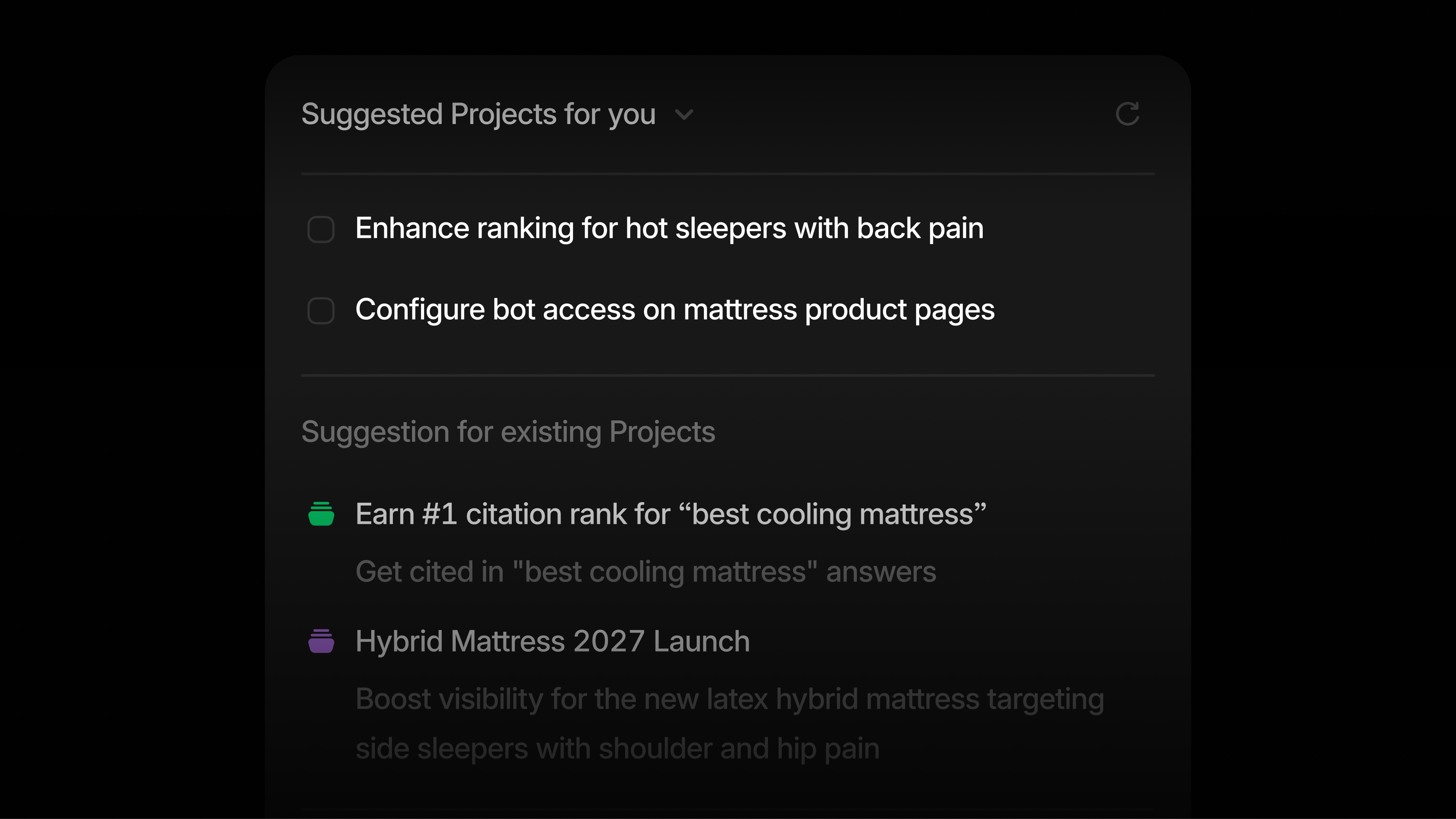
Every Project now includes the platform data, customer context, and research behind each recommendation, with source cards and inline citations linking straight back to the dashboard. Turn "we should do this" into a case you can defend to any stakeholder.

Also new in Projects:

  • FactCheck data now feeds directly into Project recommendations.

  • Edit task plans yourself with our editor instead of asking Aim for changes. 

Catch the bots you're accidentally blocking
Pages and Agent Analytics now both include a robots.txt audit within Bot View, showing exactly which AI crawlers your site disallows. A single blocked bot can quietly decrease your visibility; now you can catch it early.

See a page's entire history in one timeline

Pages Timeline shows every event for a page in one chronological feed, from first discovery to alerts, health scores, and week-over-week changes in bot visits and citations. The new Highlights view also flags which pages are gaining momentum and which need attention at a glance.

Ask Aim about your ChatGPT Shopping visibility

Aim can now answer questions about how your brand shows up in ChatGPT Shopping results. Get the same conversational access to Shopping data that you already have for visibility, citations, and sentiment.

Save your filters and share the exact view your team needs
You can now create and name saved views in Pages, capturing your filters, comparisons, and column setup in one link. Share the link, and anyone on your team can land on the exact same view.

Run one agent across every category
Answer Engine Insights nodes now include a category dropdown, so a single Agent can pull data across multiple categories at once. You can also select multiple Profound topics, prompts, and assets input types. 

We love to hear from you. Please share your feedback on how we can improve.  
July 10th, 2026

Turn data into action with Aim
Aim is the first background agent built for marketers, trained from scratch on Profound's proprietary data and grounded in our AEO research. 

Aim is operating 24/7, analyzing your AI Search data, Prompt Volumes, competitive landscape, and Knowledge Base to surface the opportunities worth acting on with a data-backed brief and recommended tasks. Chat with Aim to refine the plan, deploy custom Agents in one click, and let Aim track progress automatically. 

Open Projects to see what Aim has surfaced for your brand, or ask it questions directly anywhere you see "Assistant." Get to know Aim more here.

See citations, bot activity, and page health in one place

Our new Pages feature brings citation data, bot activity, page health, and content quality together in a single view for every page on your site. Within Pages, explore Bot View to see what bots see on your site, or run the Content Optimizer to score your content and take action on improvements with a Profound Agent instantly. Learn more about Pages here.

Pull every Profound metric through a new and improved API
Reports API v2 covers Visibility, Citations, Sentiment, Query Fan-Outs, and FactCheck in one consistent request and response shape. 

Ask your AI tool of choice which brand claims are wrong and where they're coming from
FactCheck is now available through the Profound MCP, so anyone with the connector installed can ask which claims about their brand are wrong, which models are making them, and which cited pages are reinforcing them. Each answer includes occurrence counts, reasoning, evidence, and a fix, so you can move straight from claim to action.

Brainstorm with Aim to build new Agents and Projects

Brainstorm Mode launches a guided Q&A that starts with a broad suggested goal and narrows it down to a specific, ready-to-build Agent or Project plan. It's yet another way to collaborate directly with Aim, using its knowledge of your brand and AI Search presence to suggest new marketing initiatives for your team.

Read and publish content in Drupal or Directus straight from your Profound Agents
Drupal and Directus are now available as Profound Agent nodes, each with List, Get, Create, and Update actions. Connect either CMS and your Agents can pull existing content or publish updates directly from Profound. 

Benchmark your pages against others of the same type

Benchmarking now breaks performance out by page type, so pricing pages compare against pricing pages, and blogs against blogs. Filter by page type or benchmarking tier to get a true like-for-like read on how your content is performing. Other updates include the ability to filter pages with the biggest gains and drops across page type, industry, and company size, and filtering benchmarking by performance tier. Learn more about Benchmarking here.

Other updates: 

  • Tabs in Docs: Open and create multiple pages inside a single Profound Document.

  • AND/OR tag logic in Profound data nodes: Filter data with combined tag logic for more precise analysis.

  • Folders for Docs: Organize your Document library as easily as you manage Agents and Sheets.

Get started

The updates mentioned above are all available today. We love hearing from you. Please share your feedback on how we can improve.

June 26th, 2026

Know if AI is inaccurately representing your brand with FactCheck
FactCheck compares what AI says about your brand against your source of truth, flags inaccurate claims, and points you to the citations responsible for the inaccuracies. To get started, tag the prompts you want verified in the Prompt Designer and connect your Knowledge Base. From there, you can begin rectifying inaccurate claims using a Profound Agent, built for you in one click. Learn more in our blog.

Go from opportunity to execution with Projects

Every week, Projects organize thousands of data points across Visibility, Citations, Sentiment, Prompt Volumes, and connected context in your Knowledge Base to surface the opportunities worth acting on. Each Project comes with a data-backed brief and recommended tasks to execute. From there, you can refine the plan in chat, deploy custom Profound Agents for each task, and track the impact automatically. Learn more in our blog.

Save and share your Answer Engine Insights views

Saved Views lets you save your full display setup in Answer Engine Insights, including all filters like date range, platform, and regions. Share your view by copying the link and whoever opens it lands on the exact same view. Rename, update, or delete any saved view from the Views menu at the top of the Answer Engine Insights page.

Build, run, and observe Profound Agents through Claude
You can now generate, run, and observe Profound Agents via our Claude MCP. Describe the workflow you want to build, get a complete, ready-to-run Agent inside Profound, then run it to see the results. This is one of many updates as we work to redesign our MCP for Marketing Engineers.

Query Sentiment data through the Profound API

Sentiment is now available through the Profound API under the reports/sentiment endpoint. The same query powering your dashboard is now accessible via API, so you can pull semantically grouped themes, citation-level drill-downs, and recommended actions directly into your tool of choice. Learn more in our docs.

Create and edit dashboards directly from chat

Ask Profound can now turn your analysis into a dashboard without leaving the conversation. Describe what you want to see, get data visualizations built from your analysis, edit from chat, and save it as a Custom Dashboard to return to any time.

Get started

The updates mentioned above are all available today. We love hearing from you. Please share your feedback on how we can improve.

June 19th, 2026

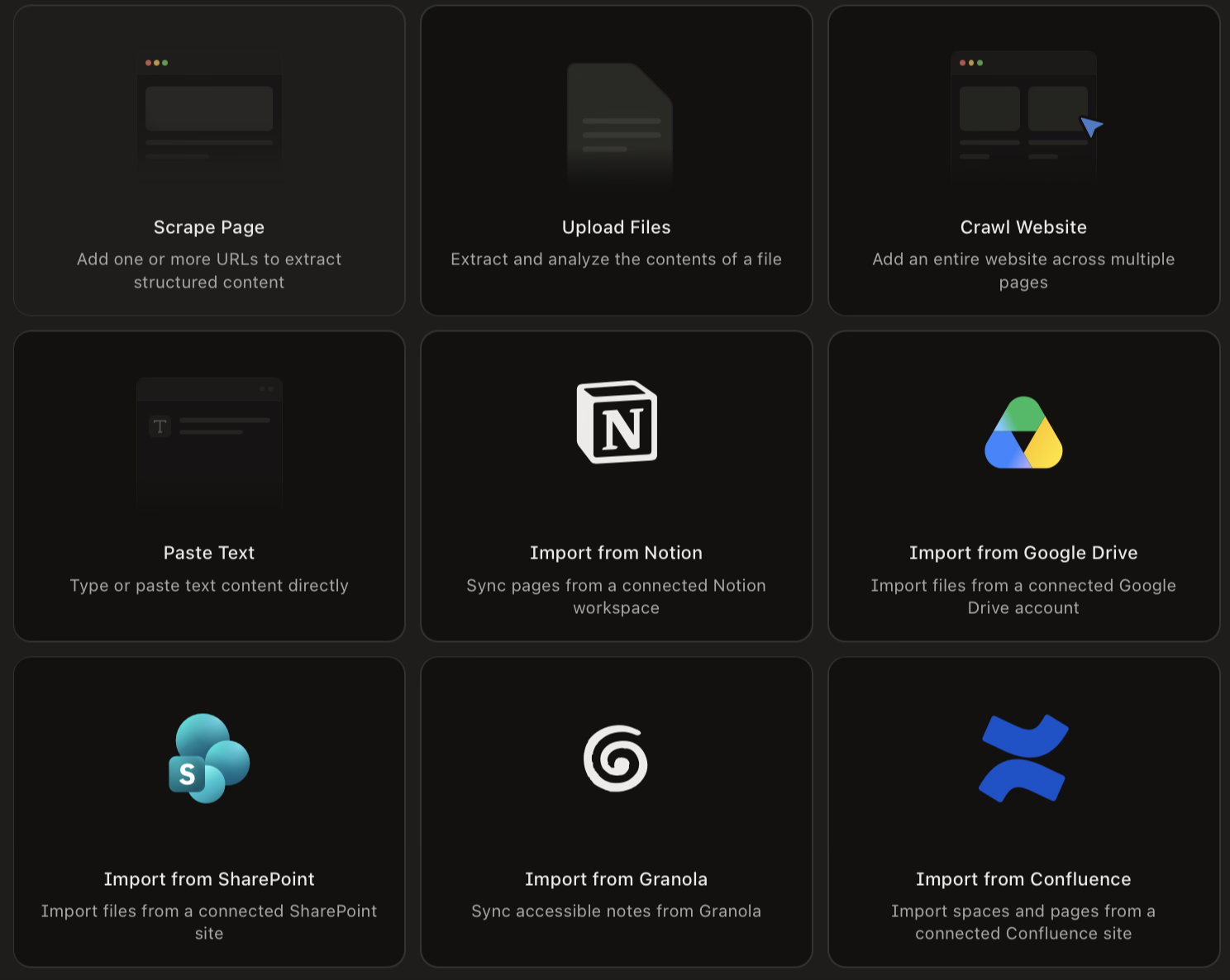
Pull live context from Slack, Notion, G2, and 12 other tools into Profound
External MCP connectors link Profound to the tools your team already uses, so Profound can read live data and take action without you copying things between tabs. The initial connector list includes tools like Slack, Notion, Linear, Klaviyo, Exa, Firecrawl, and G2. Learn more.

Keep your Profound Agents and Sheets organized as your library grows

Agents and Sheets can now live in Folders and Sub-Folders. Drag items between Folders, pin your Favorites to the top, or right-click for quick actions to stay on top of everything as your workspace scales. Learn more.

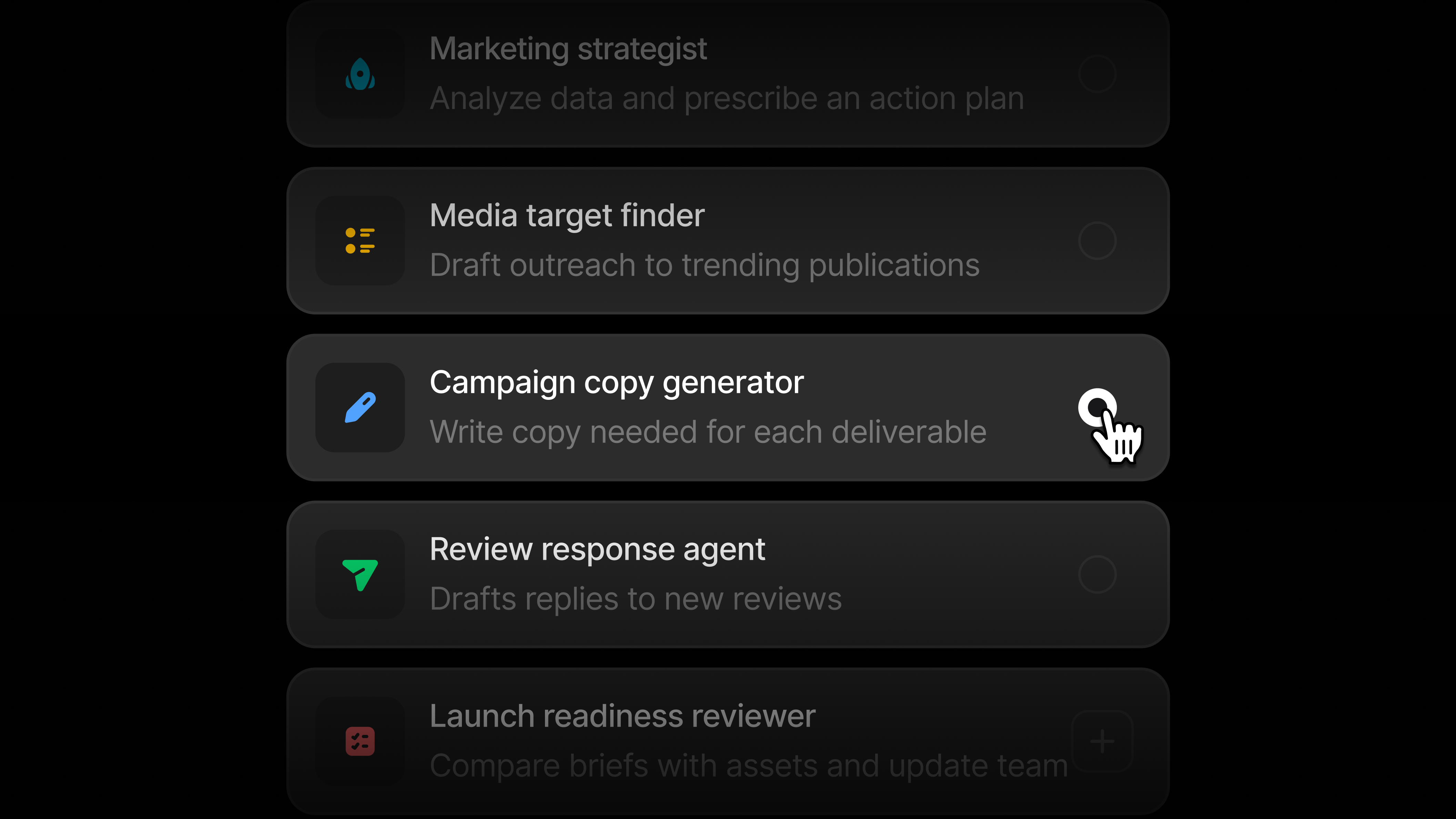
Find your next idea inside the Agents Marketplace

Our Agents Marketplace has ready-to-use templates covering a number of marketing workflows. Pick one to get started with Profound Agents or browse for inspiration on what to build next. Check out the templates.

Pull G2 reviews into your Agents to sharpen your content and messaging


Five new G2 nodes let you pull product reviews, rating breakdowns, and review snippets directly into your Profound Agents. Turn real customer feedback into content briefs, landing page copy, and more without manually combing through G2.

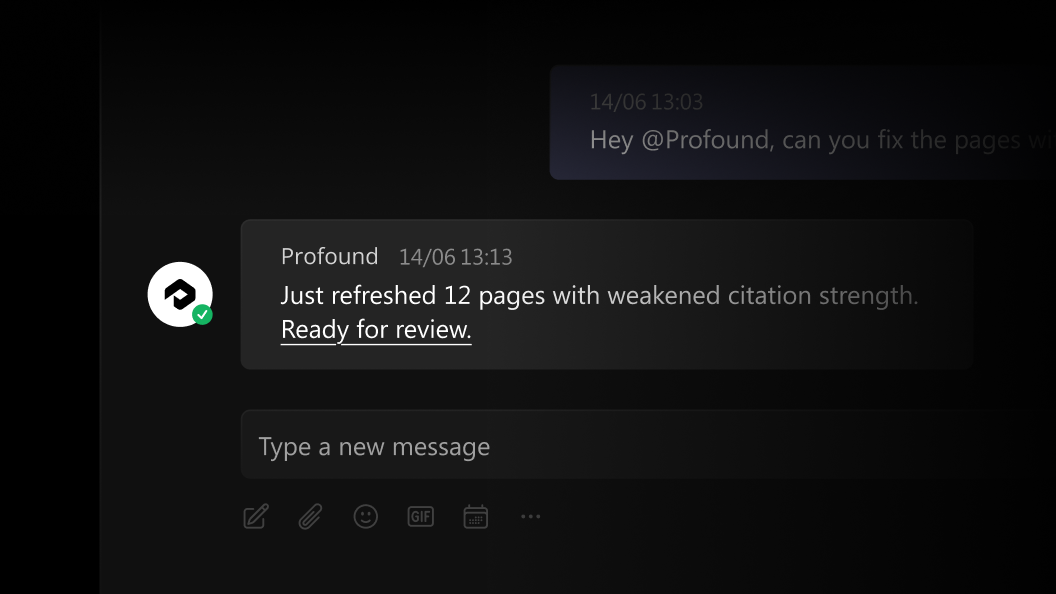
Collaborate with Profound directly in Slack

Tag Profound in any Slack channel or thread to ask questions and take action without leaving the conversation. Profound reads up to 50 messages of thread context before it responds, so its answer actually fits what you've been discussing. Learn more.

Other updates

  • Citation tags are now generally available, giving you a customizable way to organize citations across campaigns, blog content, and other initiatives. Custom citation categories are still fully supported if that's your current setup.

  • The Topic Optimization Matrix in Answer Engine Insights plots your topics by citations and visibility, giving you a clear view of which topics to prioritize first.

  • first_cited_at now shows the first time a citation URL was seen for your selected filters, so you can track when your pages first started earning citations. Find this in the Citations tab and through the API.

  • Adobe Analytics is now generally available in Agent Analytics, giving Adobe Analytics users a complete picture of how AI agents interact with their site.

Get started

The updates mentioned above are all available today. We love hearing from you. Please share your feedback on how we can improve.

June 5th, 2026

Graduate from tracking AI's narrative to shaping it with rebuilt Sentiment in Profound 
Sentiment has been rebuilt with semantically grouped themes, citation-level drill-downs to the exact text snippets responsible for the claims, and recommended actions with the corresponding Profound Agent.

To make sure you get the most out of this update, we went through your existing visibility prompts and added any that were likely to surface sentiment in responses. You're now tracking sentiment across a broader, more diverse set of prompts for a more accurate view, with multi-competitor sentiment detection in the same response. Read more here.

Collaborate on content with your team in Profound Docs
Profound Docs is a real-time collaboration editor built into Profound. Start a doc from scratch, create content in Agents and open it directly to edit, or use Documents as your team's shared workspace. Everything you'd expect from a doc editor is there: comments, slash commands, and the ability to collaborate in real-time with your team. Read more here. 

Draft reports and update analysis with Ask Profound in Docs
Ask Profound is now available inside Docs. Analyze your Profound data and draft reports, summaries, and client-ready analysis without leaving the editor. Turn visibility, sentiment, and citation data into written analysis, or update existing docs with new insights.

Use Skills to apply reusable instructions within Ask Profound and Agents
Skills are reusable instruction sets you create once and apply anywhere you are working in Profound. Configure your team's writing style, AEO best practices, or content guardrails as a Skill, then plug it into your workflows without having to repeat yourself. Read more here.

Pull Google Ads performance alongside your Profound visibility data
Google Ads nodes are now available in Profound Agents. Pull paid search performance directly alongside your Profound AEO data with List Campaigns, Search Term Performance, Keyword Performance, and Ad Performance nodes.

Run cross-channel visibility audits, weekly paid search digests, negative keyword discovery, and RSA creative audits, all inside a single Agent workflow. To get started, open any Profound Agent, search "Google Ads" in the node picker, and connect your account. 

Track AI Search visibility in Hong Kong
Seven models are now supported in Hong Kong: Google AI Mode, Google AI Overviews, Gemini, Microsoft Copilot, Perplexity, Qwen, and DeepSeek.

Get started

The updates mentioned above are available today for all Profound users.

As always, we love to hear from you. Please share your feedback on how we can improve.