SEO data is now in Profound, analyze dashboards with your AI Marketer, and more
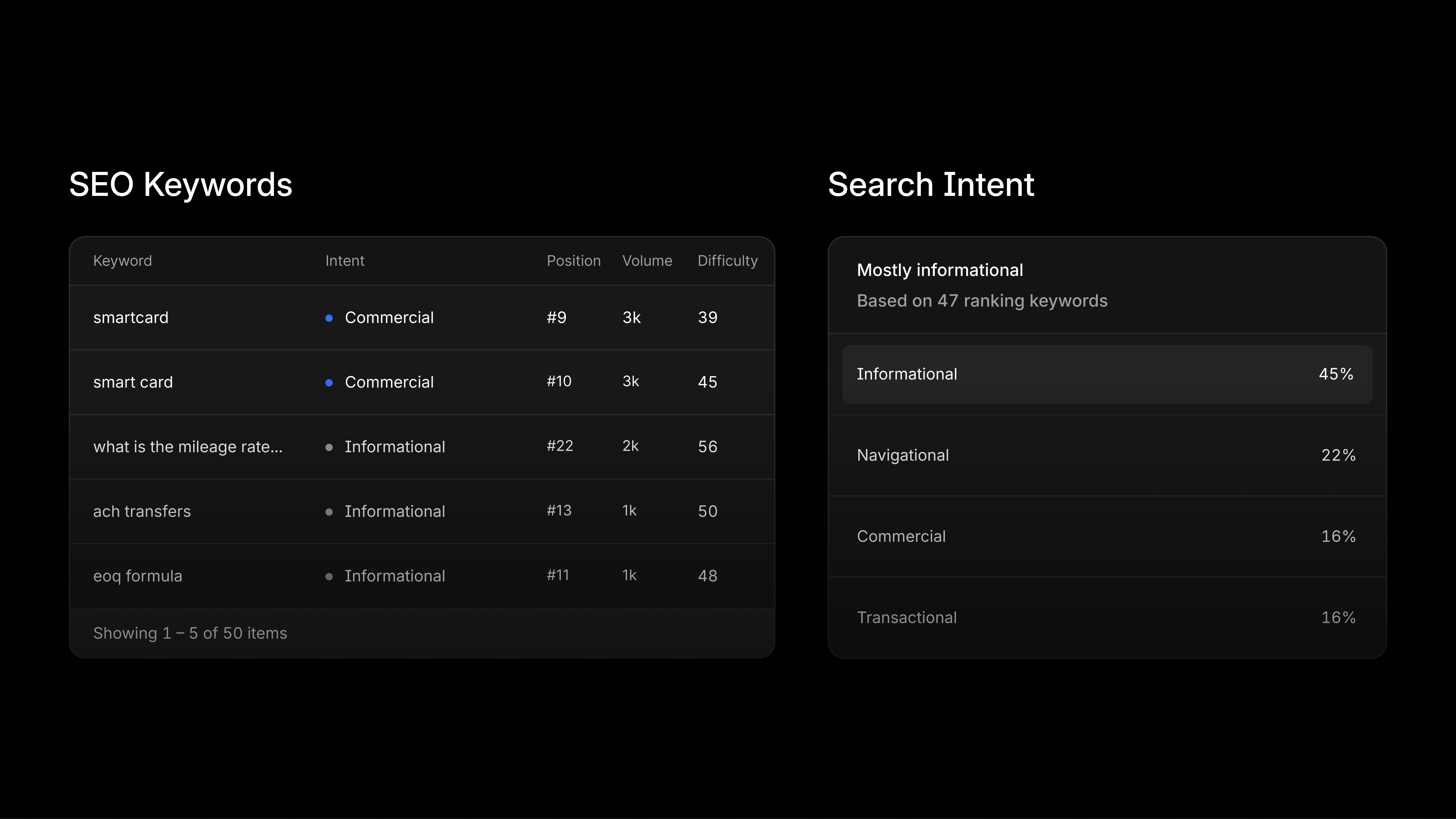
Have your AI Marketer analyze SEO data for every page
Through our partnership with Moz, your AI Marketer can now explore SEO data for every page. Ask "Which pages are driving my AI visibility?" and it can add how each page ranks in Google, how strong it is, and which sites link to your competitors instead of you.
Every page in Pages also has a new Search Visibility tab. You can now:
See which keywords each page ranks for: Each keyword comes with its position, monthly search volume, difficulty, and searcher intent.
Understand why people land on a page: Search Intent splits the searches that bring visitors to a page into informational, navigational, commercial, and transactional.
Spot link opportunities: Citation Opportunities lists sites that link to a competitor's page on the same topic but not to yours.
Compare page and site strength: Page Authority and Linking Root Domains are new sortable columns in the Pages table, and Domain and Brand Authority show how strong your whole site and brand are.
Start from flagged opportunities: Insights call out things like "8 keywords within reach of page 1," each with one-click investigation from your AI Marketer.
Ask your AI Marketer how to navigate Profound
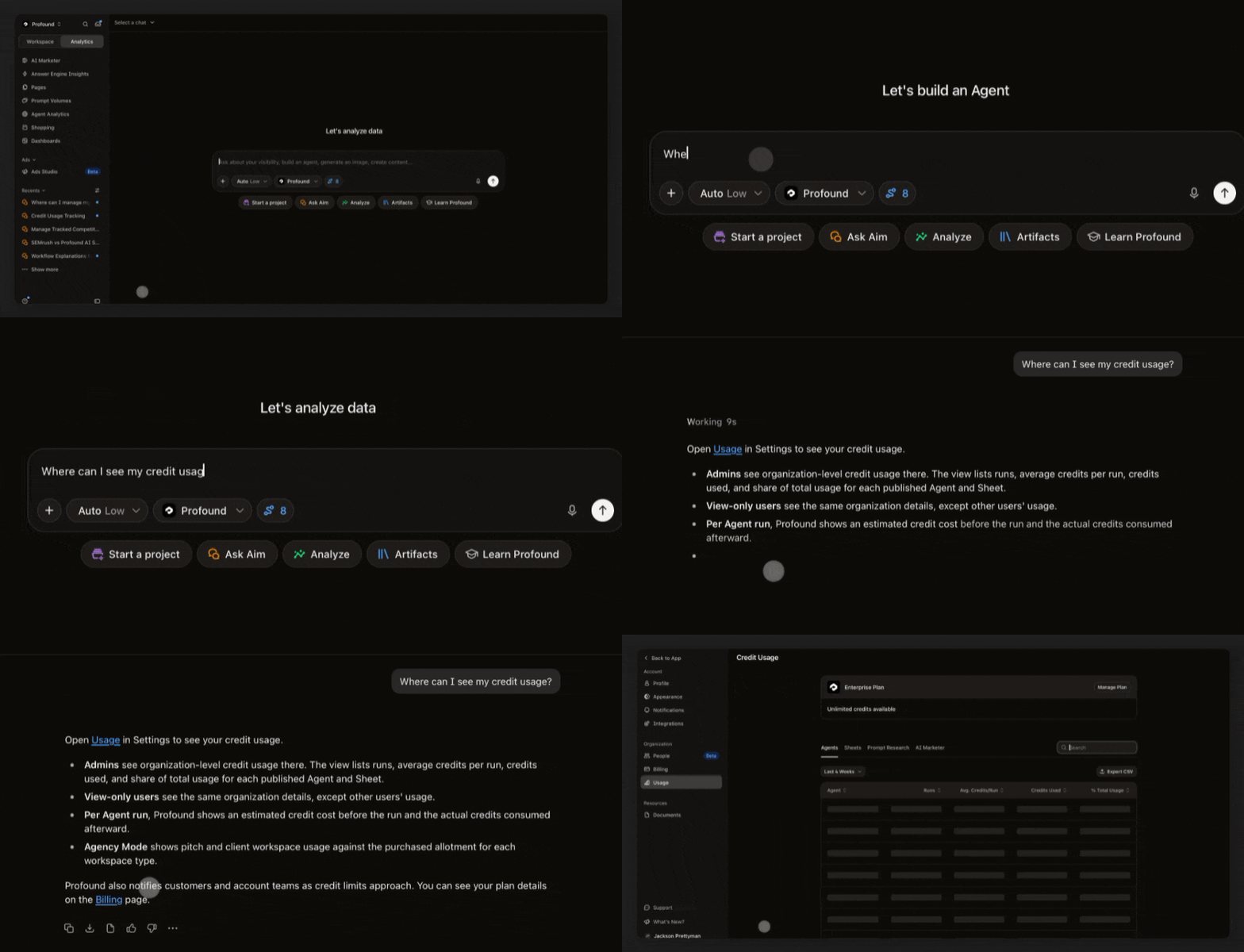
Your AI Marketer can now answer navigation questions, like where to check your credit usage or how to manage your tracked competitors, and point you to the right page and setting. It follows your organization's access controls, so it only directs people to pages they have permission to open. To try it, ask your AI Marketer where to check your credit usage.
Investigate any date range on your charts with your AI Marketer
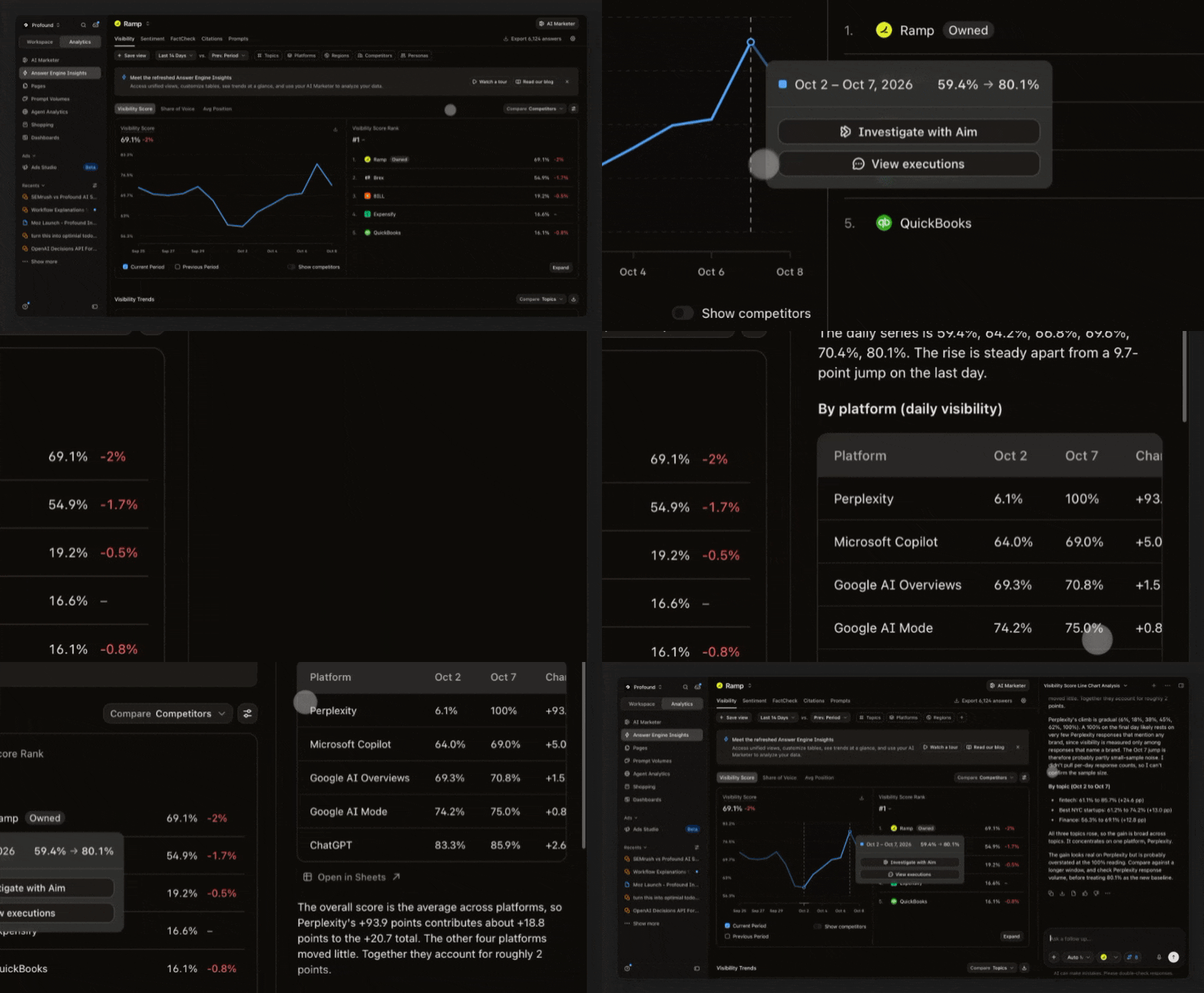
Drag across points on an Answer Engine Insights line chart to select a date range, then send it to your AI Marketer to investigate. Clicking a single point still pins one date.
Add context to your charts
Chart Annotations lets you add markers to your Answer Engine Insights charts for events like a campaign launch or a content refresh, so you can see what happened around the time a metric moved. Profound also adds Answer Engine model changes automatically. Place annotations across your organization or scope them to one category. Everyone in your organization can view them, and editors and above can create, edit, and delete them by default.
Multi-category organizations can now better organize their knowledge
If you manage more than one category, you can now assign each Knowledge Base to the categories it applies to. Once you map them, a category's Brand Context draws only from its own Knowledge Bases, so one category's context stops appearing in another's, and only users with access to that category can view or edit them.
A new toggle on each Knowledge Base turns off its Brand Context contribution, so it stores files without shaping context. Synced data sources in Context Manager, like Gong and Slack, can be scoped to categories too, and bulk edit lets you map many Knowledge Bases at once.
Existing Knowledge Bases still apply to every category by default. To limit a category's Brand Context to specific Knowledge Bases, select that category under 'Limit to select categories' on those Knowledge Bases and remove it from the others. Learn more about Knowledge Bases.
Other updates
Password-protect shared Document links: Add a password when you share a link to a Profound Document, then add, change, or remove it later from the Share dialog. Visitors are prompted for the password before they can view the document.
Export raw data from Custom Dashboards: Use Export at the top right of any Custom Dashboard and choose Export as Zip to download each chart's raw data as a separate CSV file.
Log in to Profound to explore these product updates and please share your feedback on how we can improve.