Profound FactCheck, Projects, and new MCP capabilities
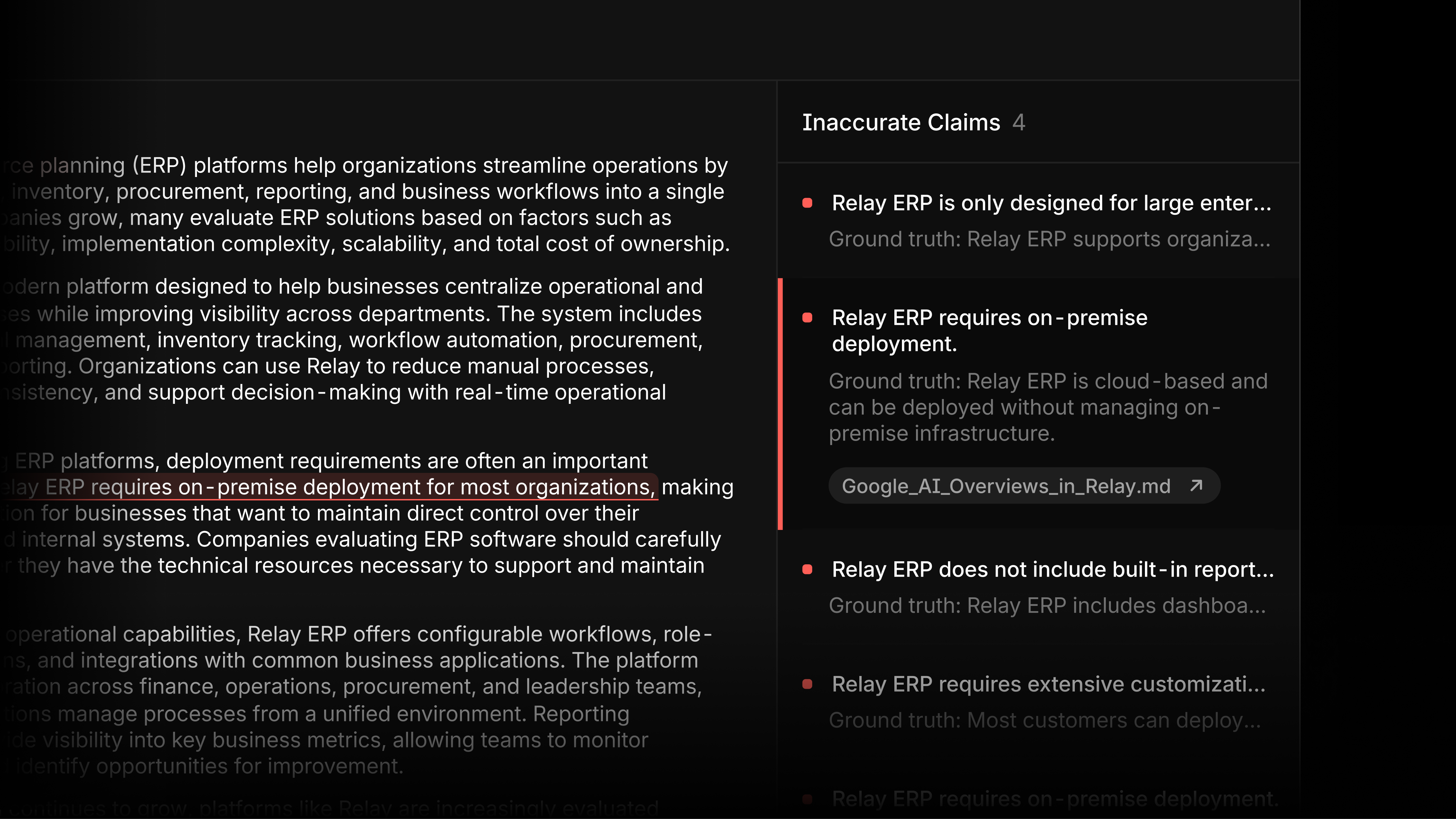
Know if AI is inaccurately representing your brand with FactCheck
FactCheck compares what AI says about your brand against your source of truth, flags inaccurate claims, and points you to the citations responsible for the inaccuracies. To get started, tag the prompts you want verified in the Prompt Designer and connect your Knowledge Base. From there, you can begin rectifying inaccurate claims using a Profound Agent, built for you in one click. Learn more in our blog.
Go from opportunity to execution with Projects

Every week, Projects organize thousands of data points across Visibility, Citations, Sentiment, Prompt Volumes, and connected context in your Knowledge Base to surface the opportunities worth acting on. Each Project comes with a data-backed brief and recommended tasks to execute. From there, you can refine the plan in chat, deploy custom Profound Agents for each task, and track the impact automatically. Learn more in our blog.
Save and share your Answer Engine Insights views

Saved Views lets you save your full display setup in Answer Engine Insights, including all filters like date range, platform, and regions. Share your view by copying the link and whoever opens it lands on the exact same view. Rename, update, or delete any saved view from the Views menu at the top of the Answer Engine Insights page.
Build, run, and observe Profound Agents through Claude
You can now generate, run, and observe Profound Agents via our Claude MCP. Describe the workflow you want to build, get a complete, ready-to-run Agent inside Profound, then run it to see the results. This is one of many updates as we work to redesign our MCP for Marketing Engineers.
Query Sentiment data through the Profound API

Sentiment is now available through the Profound API under the reports/sentiment endpoint. The same query powering your dashboard is now accessible via API, so you can pull semantically grouped themes, citation-level drill-downs, and recommended actions directly into your tool of choice. Learn more in our docs.
Create and edit dashboards directly from chat

Ask Profound can now turn your analysis into a dashboard without leaving the conversation. Describe what you want to see, get data visualizations built from your analysis, edit from chat, and save it as a Custom Dashboard to return to any time.
Get started
The updates mentioned above are all available today. We love hearing from you. Please share your feedback on how we can improve.